Group interchangeable products so a production run can pull any member when a recipe calls for one of them.
On this page
Was this helpful?
Real help from real food people
Chef Diego runs a real food plant. If this page didn't get you there, tell us — a person reads every message.
You stock jasmine rice and basmati rice, and either one works in the same bowls.
When a run calls for jasmine but the basmati lot is the one closest to its date,
you don't want to stop and rewrite the recipe. Tell Bettr once that the two are a
, and any run can pull whichever you have on hand. You
build and manage them under Product
groups.
Create a product group
1
Open Production → Product groups
In the top navigation, open Production and select Product groups.
Grouping products is a production tool, so it sits under Production even
though the products themselves live under Inventory.
2
Start a new group
Select New. The group belongs to your active company — the one shown in
the top navigation.
3
Name the group for what its products share
Fill in Name with something that says why these products belong together
— Rice Interchange for your swappable rices, say, or Asian Sauces.
4
Pick the products
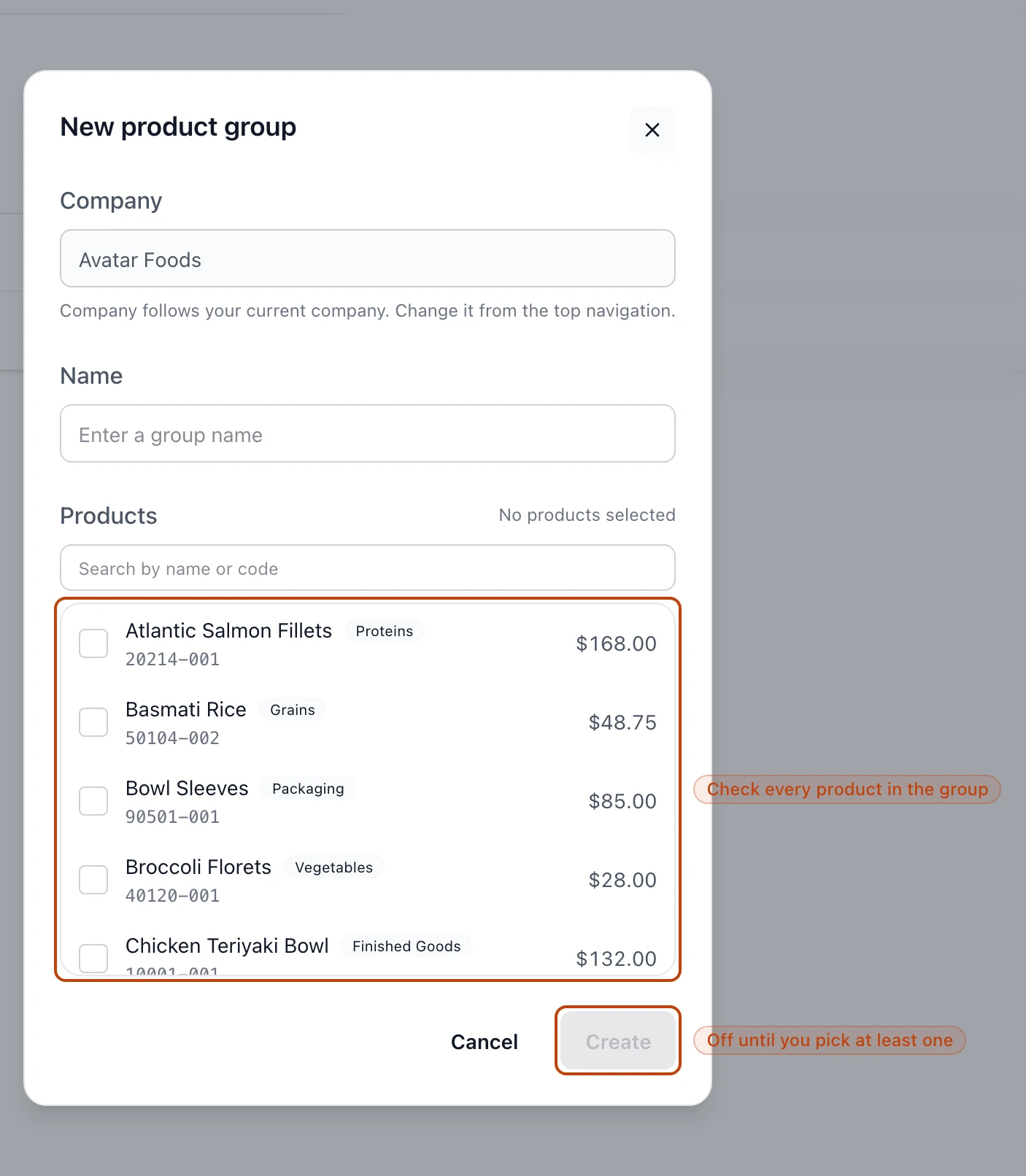
Search by name or code, then check every product that belongs in the group.
The count beside Products keeps a running tally as you go.
5
Create it
Select Create. The button stays off until you've checked at least one
product — a group with nothing in it has nothing to interchange.
Search the catalog and check each product that belongs. Create turns on once at least one is picked.
Find a group
Every group you've made lists under Product groups, one row each. A row shows
the group's name, how many products it holds, and the day you created it. Search
by name to jump to one, and sort the list by name, by product count, or by when
each group was created.
Change or delete a group
Open a group from the list to reopen the same form under Edit product group.
Rename it, or check and uncheck products to change what's in the group, then
Save. As with a new group, you can't save it empty.
To retire a group, use Delete product group in the Danger zone and confirm.
The Danger zone on a group's edit screen removes it from every list and lookup.
A deleted group is gone from lookups, but kept on the record
Deleting a group removes it from every list and picker, so no run will treat
its products as interchangeable again. Bettr keeps the underlying record for
audit — deletion is logged as an event, not erased — but there is no undo
button, so rebuild the group by hand if you need it back.
Where groups do their work
A group's payoff shows up in Production
runs. When a run consumes a
recipe ingredient, it doesn't limit itself to
the exact product the recipe names — it treats every other product in that
product's group as a stand-in. A run that calls for jasmine rice can draw
from your basmati lots too, as long as both sit in the same group.
That's why the groups you build here are worth keeping honest: put two products
in a group only when they really are swappable in the recipes that use them.