Every field on your profile page and where its value comes from — your name and sign-in email, plus the employee details Bettr Manager shows when you're on the floor too.
On this page
Was this helpful?
Real help from real food people
Chef Diego runs a real food plant. If this page didn't get you there, tell us — a person reads every message.
Your profile is the one screen in Bettr Manager that's about you rather than
your operation. It shows the name your teammates see, the email you sign in with,
and — when your company also keeps you on as an employee — the workforce details
on your record. Every field is read-only, so this page is for reading what Bettr
holds about you and knowing where each value comes from. Open it from
My Profile in the account
menu, top-right.
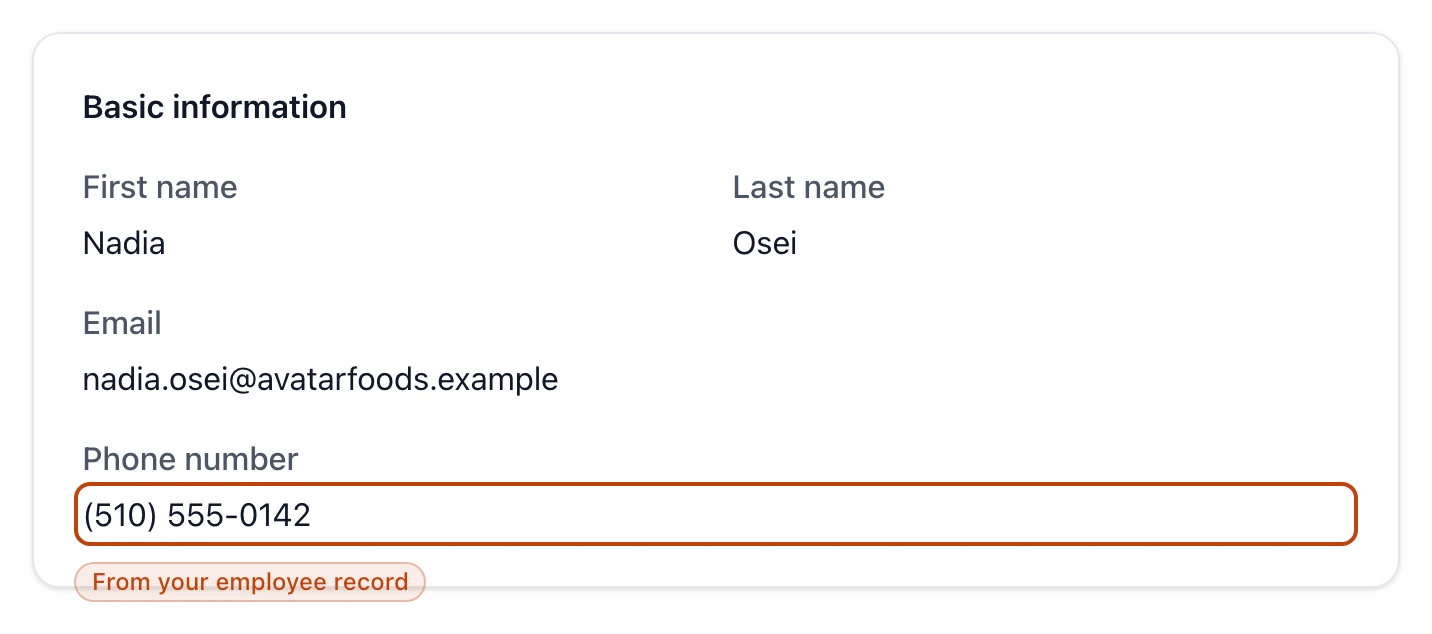
Basic information
Every profile carries a Basic information card, whatever your role:
First name and Last name — together they're the display name your
teammates see: in the account menu, on the records you touch, and anywhere
Bettr shows who did what. You set them the first time you signed in.
Email — the address you sign in with. It's fixed to your account, so it
isn't editable here. Each email is its own account.
When your company runs you as an employee, this card also carries your Phone
number, drawn from your employee record.
The Basic information card: your name and sign-in email come from your account, and the phone number from your employee record.
Your employee details
When your company keeps you on as an
,
your profile adds your photo and an address, and a line under the heading reads
These details are maintained by your administrator:
Photo — the headshot on your employee record, or a No photo placeholder
when none is on file.
Address — a card holding Street address, City, State, ZIP
code, and Country.
These come from your employee record, not from this page, and any field left
blank reads Not provided. If you belong to a company but aren't set up as an
employee, none of this appears — your profile is the Basic information card and
nothing else.
What's read-only, and what changes it
Nothing on this page is a form. Where each value is actually set:
Your name was fixed when you first signed in and completed your profile.
There's no field to rename yourself here.
Your email is tied to your account. To work under a different address, sign
in with that email instead.
Your photo, phone, and address live on your employee record and are changed
by whoever manages your team, on that record — see
Add and manage employees and
Employees.