Set the running order for each day's scheduled recipes so the floor makes them in the sequence that keeps allergen cleanings to a minimum.
On this page
Was this helpful?
Real help from real food people
Chef Diego runs a real food plant. If this page didn't get you there, tell us — a person reads every message.
Thursday's board puts four recipes in the Production room: two plain blends, a
base sauce, and a peanut sauce. Run the peanut sauce first and every batch after
it waits on a full allergen washdown. Run it last and you clean once, at the end
of the day. The
Schedule list
is where you set that sequence — the running order for every day your plans put
work on the floor. Kitchen+
Read the schedule list
The list gathers every across all your
plans into one place, oldest date first. Each row names the recipe, its date and
department, and the quantity scheduled — plus the quantity produced once the
floor starts logging output against it.
Two things on the row tell you where its order stands:
An Order badge. Once you've sequenced the day it reads Order 1, Order
2, and so on; until then it reads Order not set in orange.
A button on the right — Set order for a day you haven't sequenced,
Update order for one you have. Days that have already passed read
Locked instead, and their order can't be changed.
Narrow the list with the date range, department, and recipe search at the top
when a single room or week is all you care about.
Set a day's running order
You sequence one department's recipes on one date at a time. A day that runs
recipes in two rooms gets its own order in each.
1
Open the day's order
Find a recipe on the day you want to sequence and select Set order (or
Update order). The dialog opens with every recipe that department runs on
that date, listed in its current order.
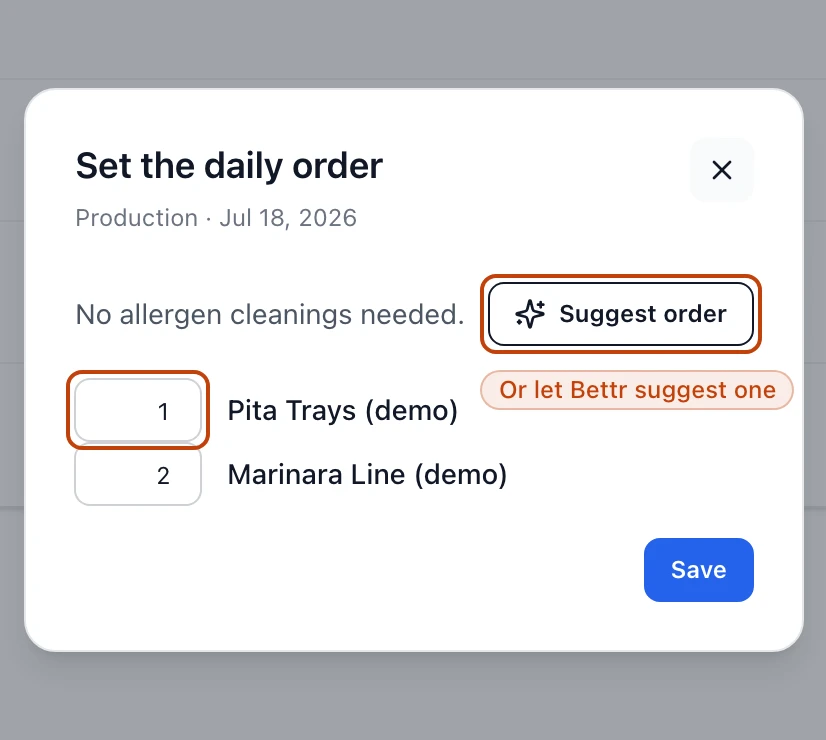
The daily-order dialog for one department on one date: type a position beside each recipe, or let Bettr suggest a sequence.
2
Read the cleaning tally
Under the recipes, Bettr counts the allergen cleanings your current order
forces. Each one is an
—
minutes the crew loses between batches, so fewer is better.
3
Set the sequence
Type the position each recipe should run in — 1 runs first — and the list
reorders as you go. Or select Suggest order to let Bettr arrange the day
for the fewest cleanings, which usually means running the recipes with the
most allergens last.
4
Save the order
Select Save. Back on the list, the day's recipes now carry their numbered
Order badges, and the sequence is ready to reach the floor.
Let Suggest order do the sorting
On a day with several allergen-bearing recipes, Suggest order finds a
sequence that keeps the tally as low as it can go, so you clean once at the end
rather than between every batch. Adjust any position afterward if the floor has
a reason to run something sooner.
See what a day holds
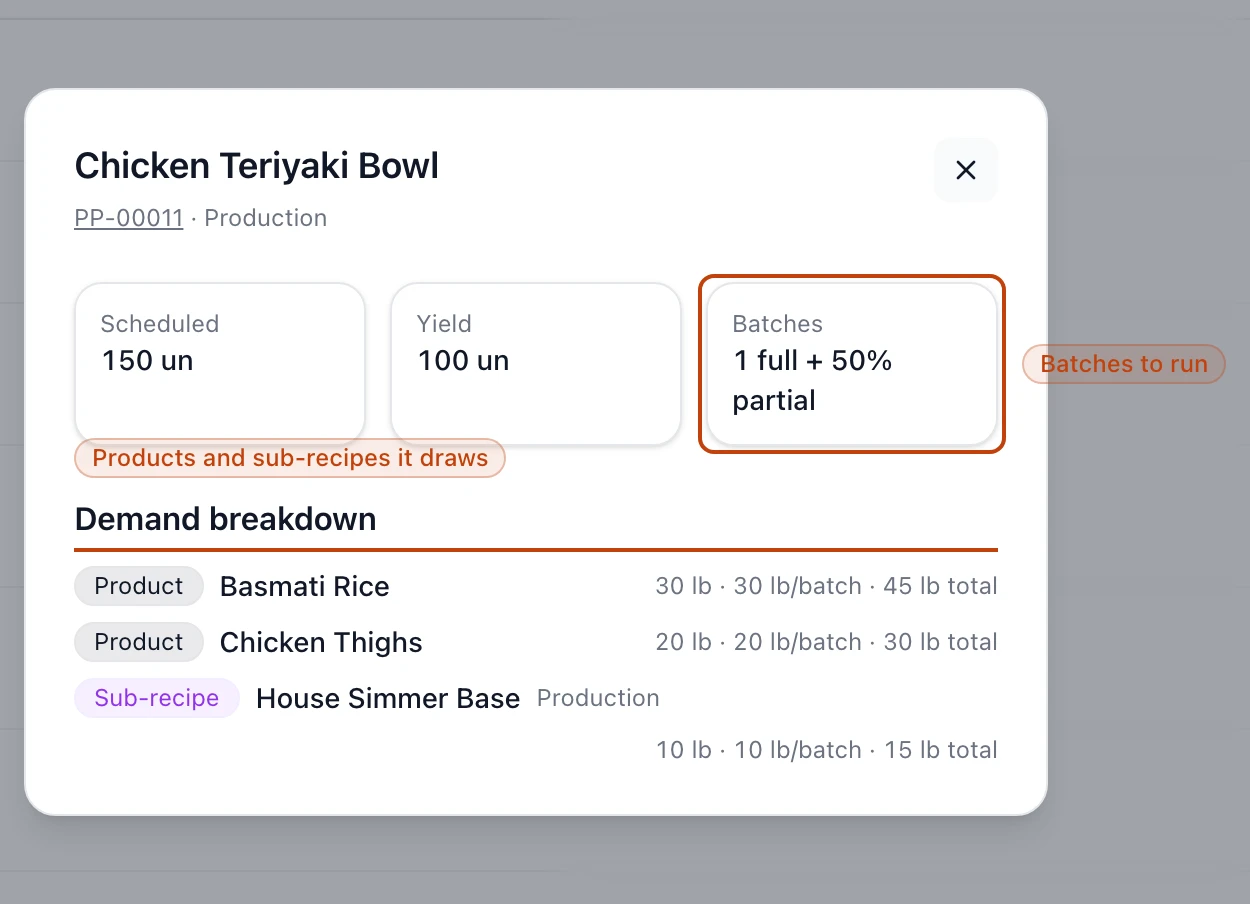
Select a recipe's row — its name, not the order button — to open the day panel.
It shows the scheduled quantity, the recipe's yield, how many batches the day
breaks into, and a demand breakdown: the products and sub-recipes each batch
draws down. Read it before you sequence a heavy day, since a five-batch recipe
rarely belongs wedged between two others.
The day panel for a scheduled recipe, showing its batches and the products and sub-recipes each batch draws.
How the running order reaches the floor
The order isn't just a note on the list. When a day's recipes become a
production run, each line item carries its Order number, and the run lists
them in that sequence within each department — so the crew works down the board
in the order you set. The number rides into your batch record exports too, which
means the floor and the auditor both see the sequence the day was meant to run.