What a department's name, description, and flow order each control, where its members come from, and how a department orders your production floor and your daily staffing.
On this page
Was this helpful?
Real help from real food people
Chef Diego runs a real food plant. If this page didn't get you there, tell us — a person reads every message.
A department is a named crew — your line, your warehouse team, your QA reviewers.
You define it once for your whole organization, and every company you run shares
the same set. You build and manage departments on
Departments,
under Settings in the sidebar.
The fields
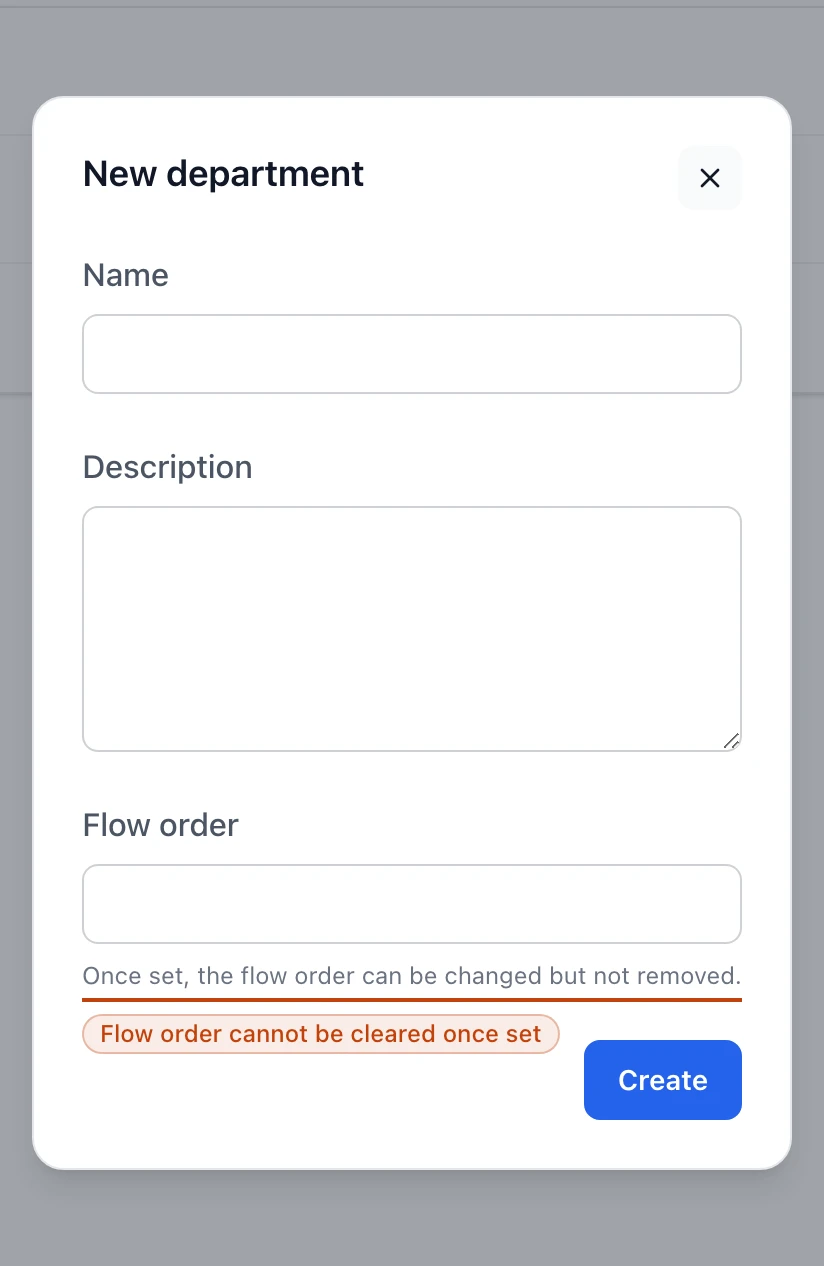
A department carries three fields, all set on the New department and Edit
department panels:
Name — required. The function the department stands for, unique across your
organization, up to 255 characters. Two departments can't share a name.
Description — optional free text. When you fill it in, it shows under the
name on the list; leave it blank and the name stands alone.
Flow order — optional whole number, 1 or greater. It's the department's
place in the
.
Once you set a flow order you can change it, but you can't clear it back to
none, so leave it blank until you know where the department belongs.
The New department form. Flow order is optional, and the note under it spells out that once set it can be changed but never cleared.
What the list shows
Each department is one row, carrying:
Name, with a Flow badge beside it that reads out the flow order — Flow
2, Flow 5 — only when the department has one.
Description underneath the name, when it has one.
Member count on the right, behind a people icon: No members, 1
member, or 3 members. Selecting it opens the member list; selecting the
name opens the edit panel.
The list sorts by flow order first — the lowest number leads, and departments
without a flow order fall to the bottom — then by name. That ordering is the same
sequence a production run reads when it groups the day's work.
Members
A department's members are the people who do that department's work. The Manage
members panel, reached from a row's member count, lists everyone in your
organization — every person who belongs to one of your companies — with a switch
beside each name and email.
Turning a switch on puts the person in the department; turning it off takes
them out. Each change saves the moment you flip it, with no separate save step.
A person can belong to more than one department, so someone who splits their
time across the line and the warehouse can sit in both.
Only people who already belong to a company show up here. If a name you expect
is missing, add the person to a company first — see
Add people to your companies.
Membership is a link between a person and a department, kept apart from the
department's own fields: renaming a department or changing its flow order never
touches who's in it.
Where a department's values are used
A department earns its place in two screens your team works every day:
On a production run,
the day's work is grouped by department, and the flow order sets the order those
groups run — the floor moves from the first station to the last in the sequence
you defined.
On the staff schedule,
every assignment belongs to a department, and the schedule groups and filters
the day by department so you can see who's covering each one.